

← Back to FAQ
BUDS 2
BUDS 2 FAQ
Answers to common questions about BUDS 2 installation, BUDS 2 License, drivers, activation and BRP vehicle compatibility.
How do I buy a license for BUDS 2?
To purchase a license for BUDS 2, follow these steps:
- Download the program archive
- Extract it to a separate folder
- Contact us via
- Launch the program, open the "License" tab, and send the key and adapter number (MPI-3 does not need to be connected at this stage)
- After confirmation, click the "Update" button in the program; after restarting, the license information will appear
- Complete the payment
- Enter your email and download the license
- You can now run BUDS 2
Where can I download BUDS 2?
The latest version of the program and the license utility are available on the software page.
Firmware for BUDS 2 control modules
Firmware files for forced module updates are available. Contact options are listed on the contacts page.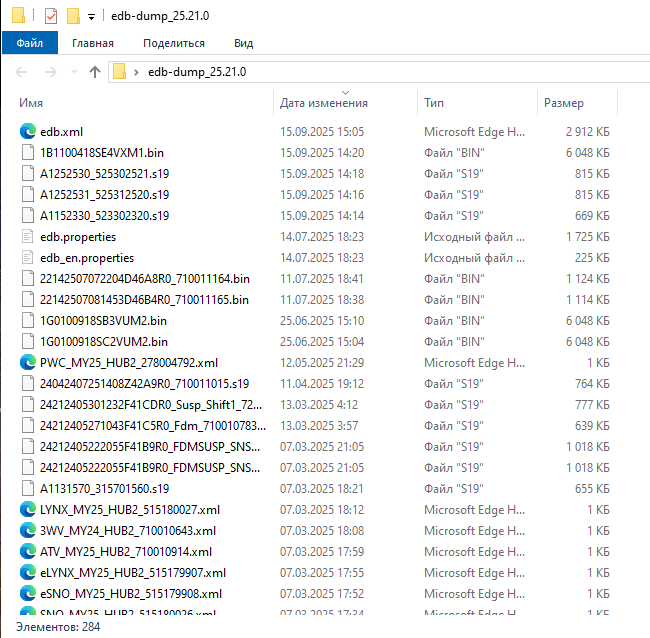
Do I need to run BUDS 2 as administrator?
Yes, this is recommended for proper operation and access to system components.
MPI-3 connection for diagnostics
MPI-3 has 2 status indicators that show the connection state: USB and CAN. Both LEDs must be green for MPI-3 to work correctly.
- Connect the diagnostic cable to the BRP connector
- Connect the other end of the cable to the MPI-3 adapter
- Make sure everything is connected before launch
- Connect the DESS key. Briefly press the start button to power up the ECM. The engine must not start
- Launch the program
Why does BUDS 2 not detect the adapter?
Possible reasons include missing drivers, incorrect connection, or an incompatible interface. A common reason is missing Microsoft Visual C++.
- Download Microsoft Visual C++
- Extract it to a folder
- Run the BAT file as administrator
Which drivers are required?
The required drivers depend on the adapter being used. They can be downloaded from the software page.
Which license do I need for BUDS 2?
It depends on your tasks and access level. Both basic and advanced license options are available.
Which vehicles are supported by BUDS 2?
BUDS 2 is used for BRP vehicles from 2016 to 2025.
What should I do if there are errors after installation?
Check the drivers, run the program as administrator, verify the license, and confirm that the software version is compatible with your vehicle.
BUDS 2 unlicensed function
If BUDS 2 shows an "Unlicensed Function" error when opening the program, close the current window, right-click the program, and run it as administrator.
What is the difference between BUDS 2 Mechatronic Expert, All Dealer Technician, and Dealer Technician licenses?
With BUDS 2 Mechatronic Expert you can:
- Change VIN and model numbers
- View history in hours instead of percentages
- Enable or disable DESS (start the vehicle with any key, except Roadster Spyder)
- Change DESS key type (normal, learning, rental)
- Change total operating hours of the vehicle (Sea-Doo ECU Bosch)
- View more information blocks
- Edit injector coefficients for E-TEC Ski-Doo
- Enable or disable vehicle options, modules, and sensors
- Increase Sea-Doo Spark power from 60 hp to 90 hp